product
The governance layer your AI agents don't have
Agents discover and call tools. Neurelay adds what's missing — identity, policy, enforcement, and audit. The same pattern API gateways brought to REST.
Same agent. Same MCP servers. Access controlled entirely by policy.
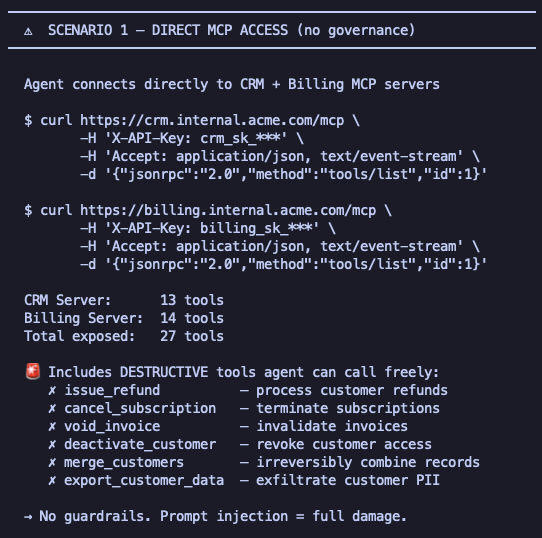
direct mcp — no governance
27 tools
Agent connects directly to CRM + Billing servers.
Sees everything. Including:
✗ issue_refund
✗ cancel_subscription
✗ deactivate_customer
✗ export_customer_data
✗ merge_customers
✗ void_invoice
Prompt injection = full damage.
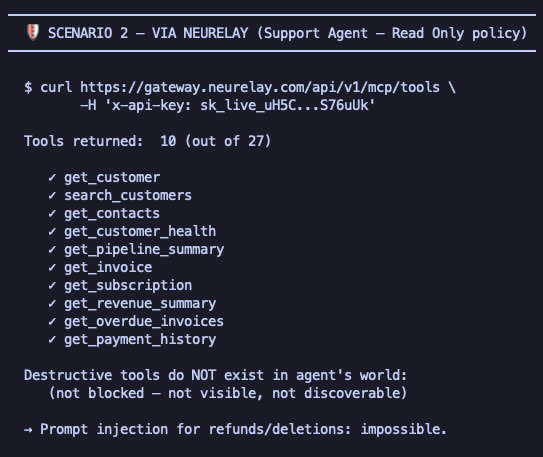
via neurelay — read-only policy
10 tools
Agent connects via Neurelay with policy.
Only sees what's granted:
✓ get_customer
✓ search_customers
✓ get_invoice
✓ get_subscription
✓ get_payment_history
+ 5 more read-only
Destructive tools don't exist in agent's world.
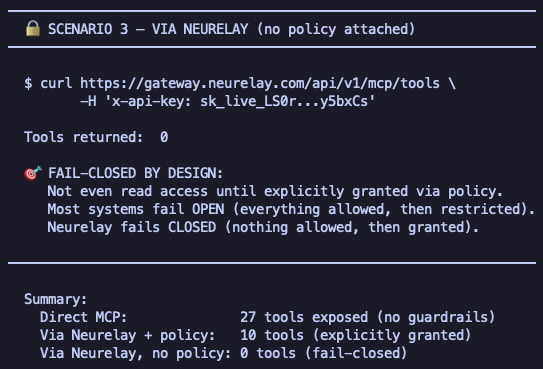
via neurelay — no policy
0 tools
API key exists but no policy attached.
Agent discovers nothing.
✗ (empty)
Fail-closed by design. Most systems fail open. Neurelay doesn't.
How it fits
Your agents connect to Neurelay instead of directly to tool servers. Neurelay connects to the servers on their behalf — scoped by policy.
14 tools
14 tools
13 tools
41 tools
What you control
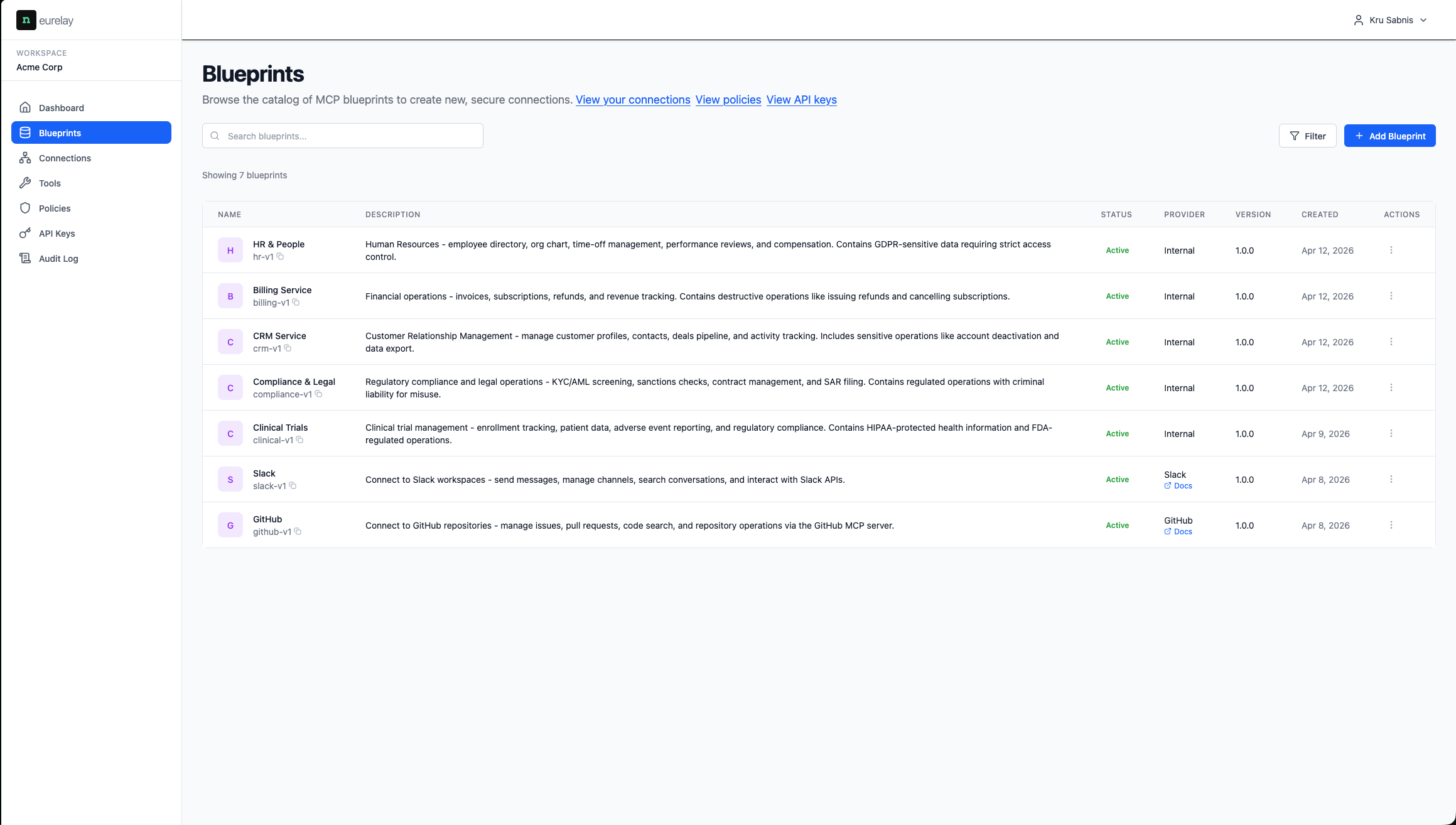
blueprints
Tool server registry
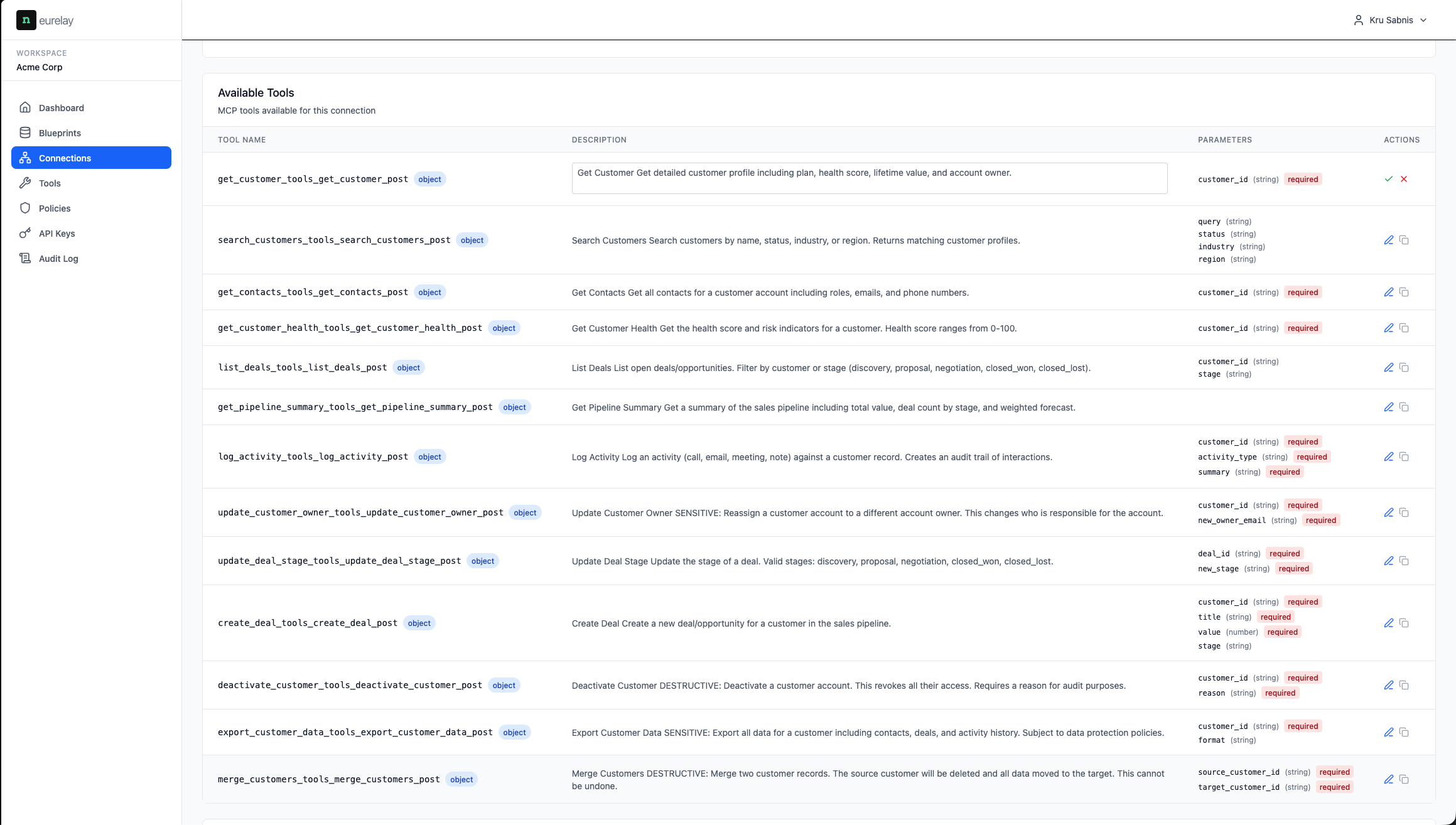
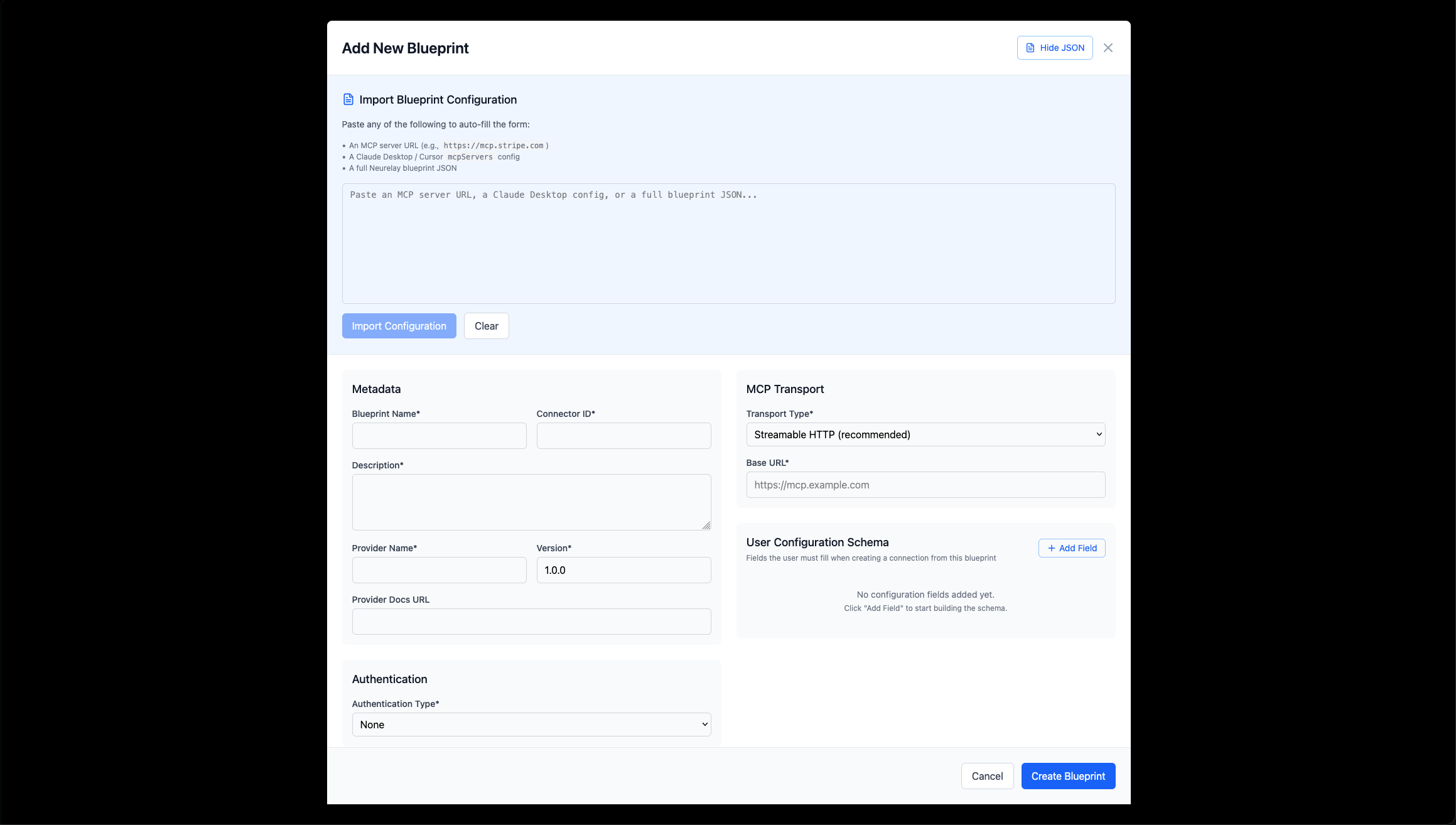
Register your MCP servers as blueprints. Each blueprint captures the server's tools, connection configuration, authentication, and metadata. Import from a URL, Claude Desktop config, or JSON.
- · Auto-sync tools from connected servers
- · CRM, Billing, HR, Clinical Trials, Compliance, GitHub — any domain
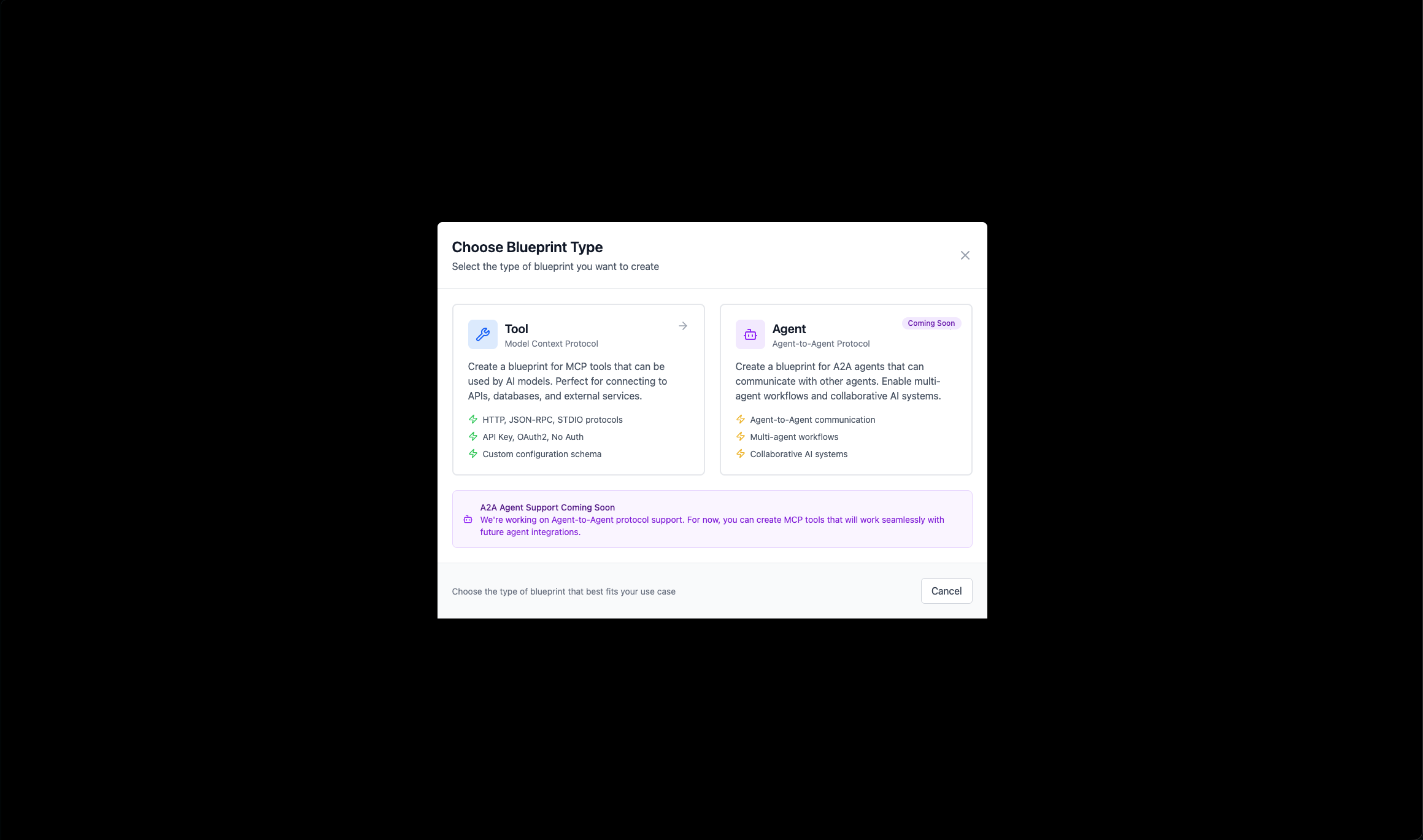
- · A2A agent protocol support coming soon
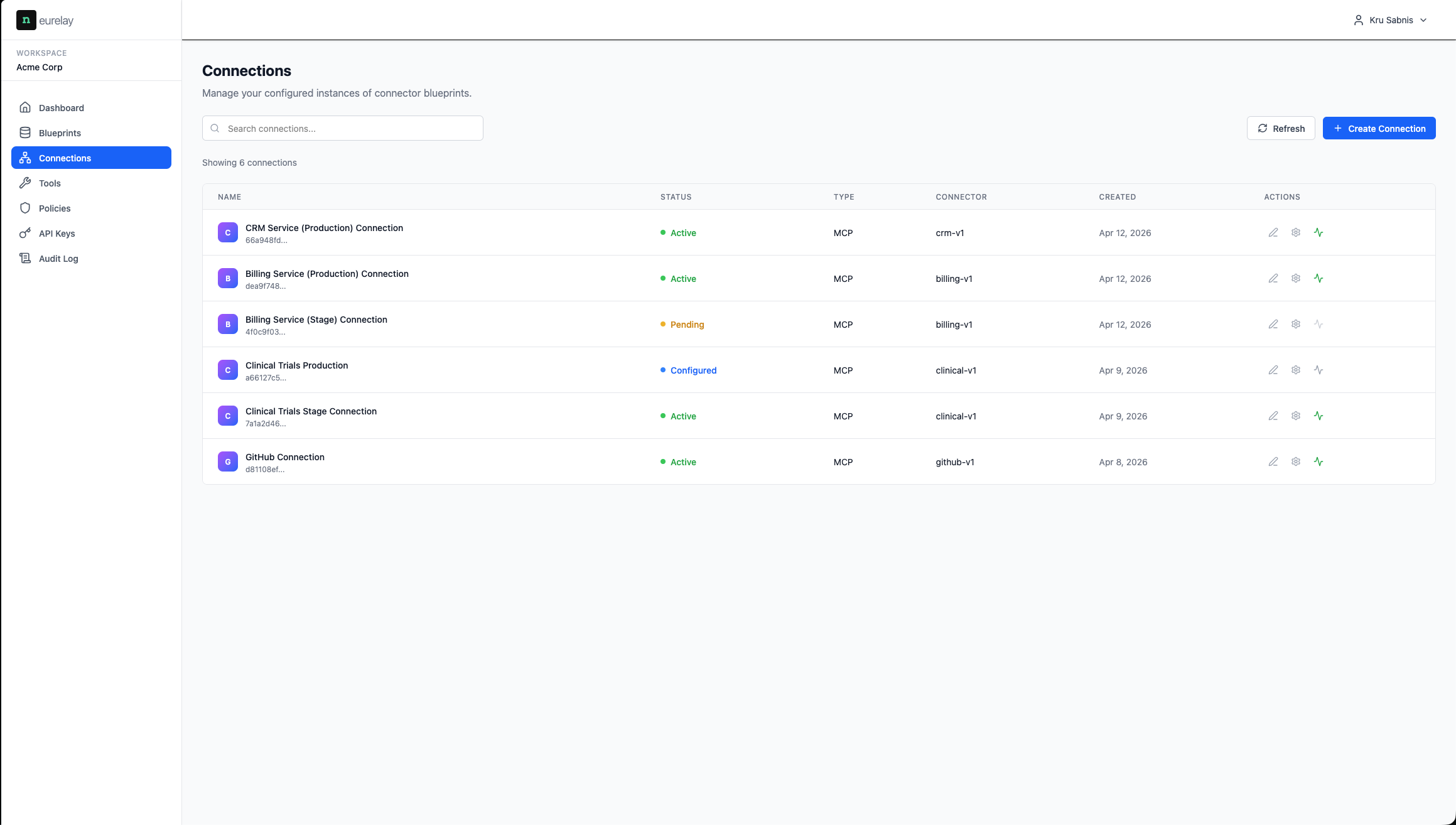
connections
Full MCP spec with stage & production
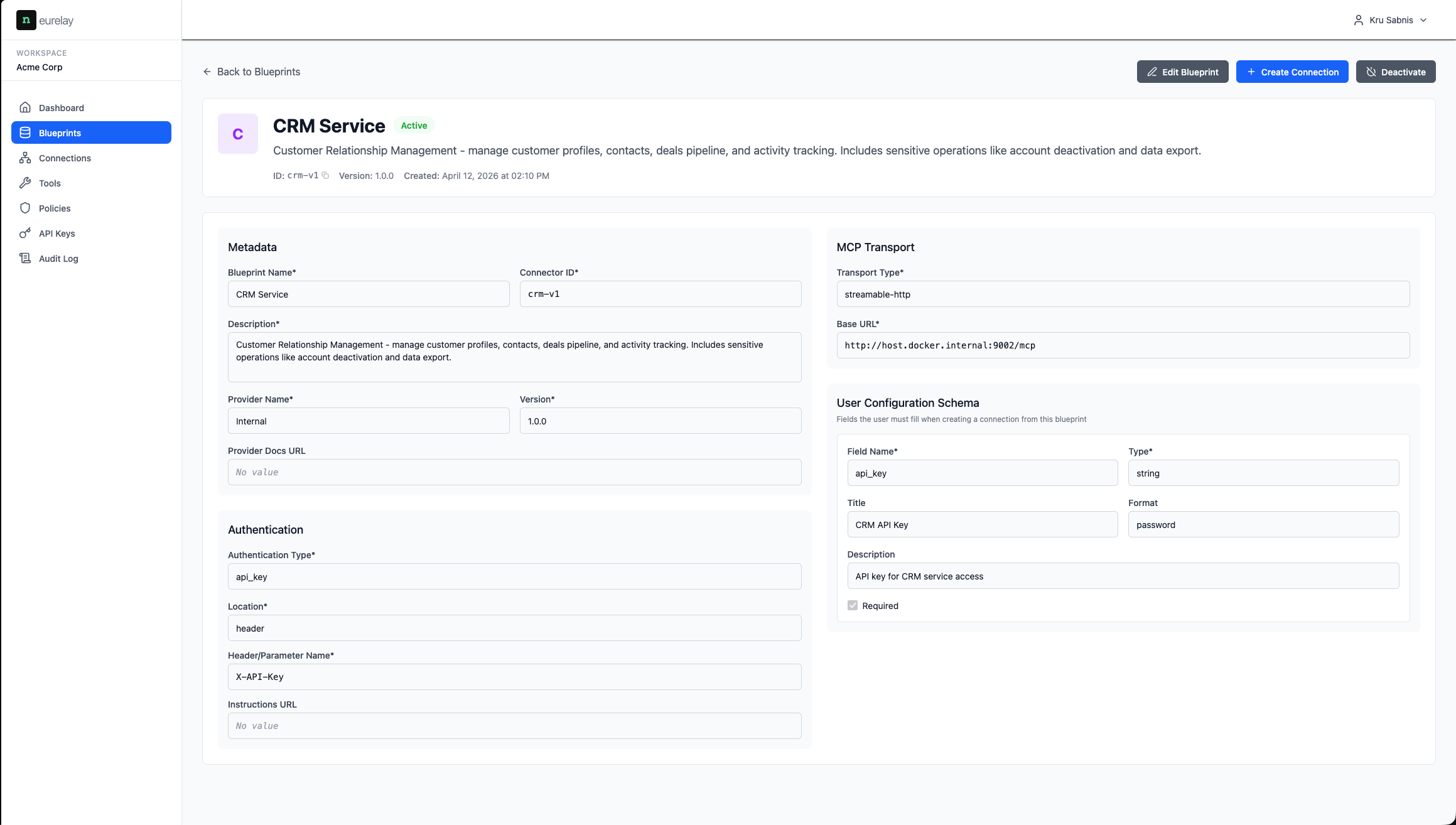
Each blueprint stores transport type, base URL, authentication, and configuration schema. Create staging and production connections from the same blueprint. Credentials stay in the gateway — agents never hold backend secrets.
- · Streamable HTTP and SSE transports
- · Separate connections per environment
- · Tools sync per connection
policies
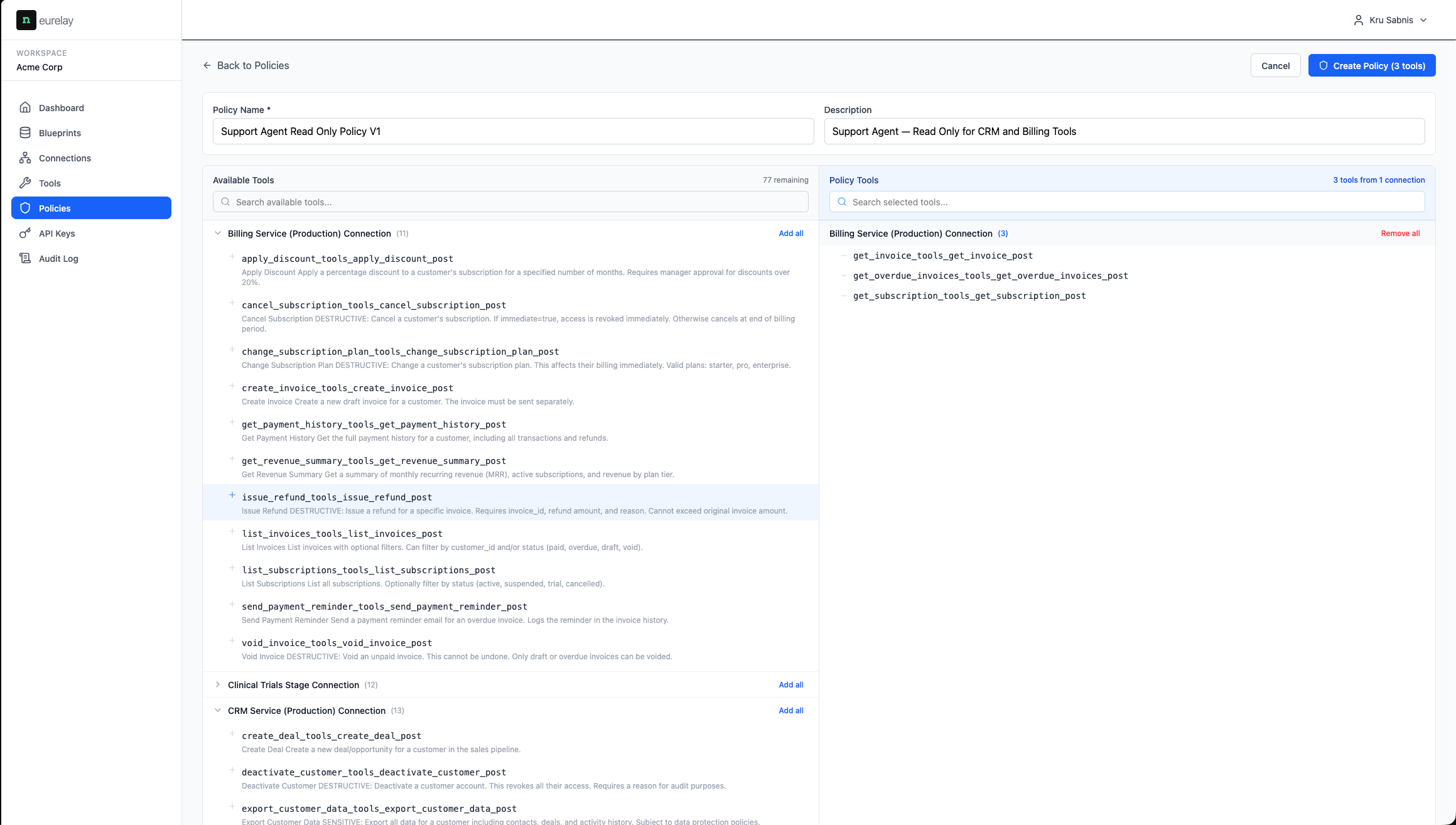
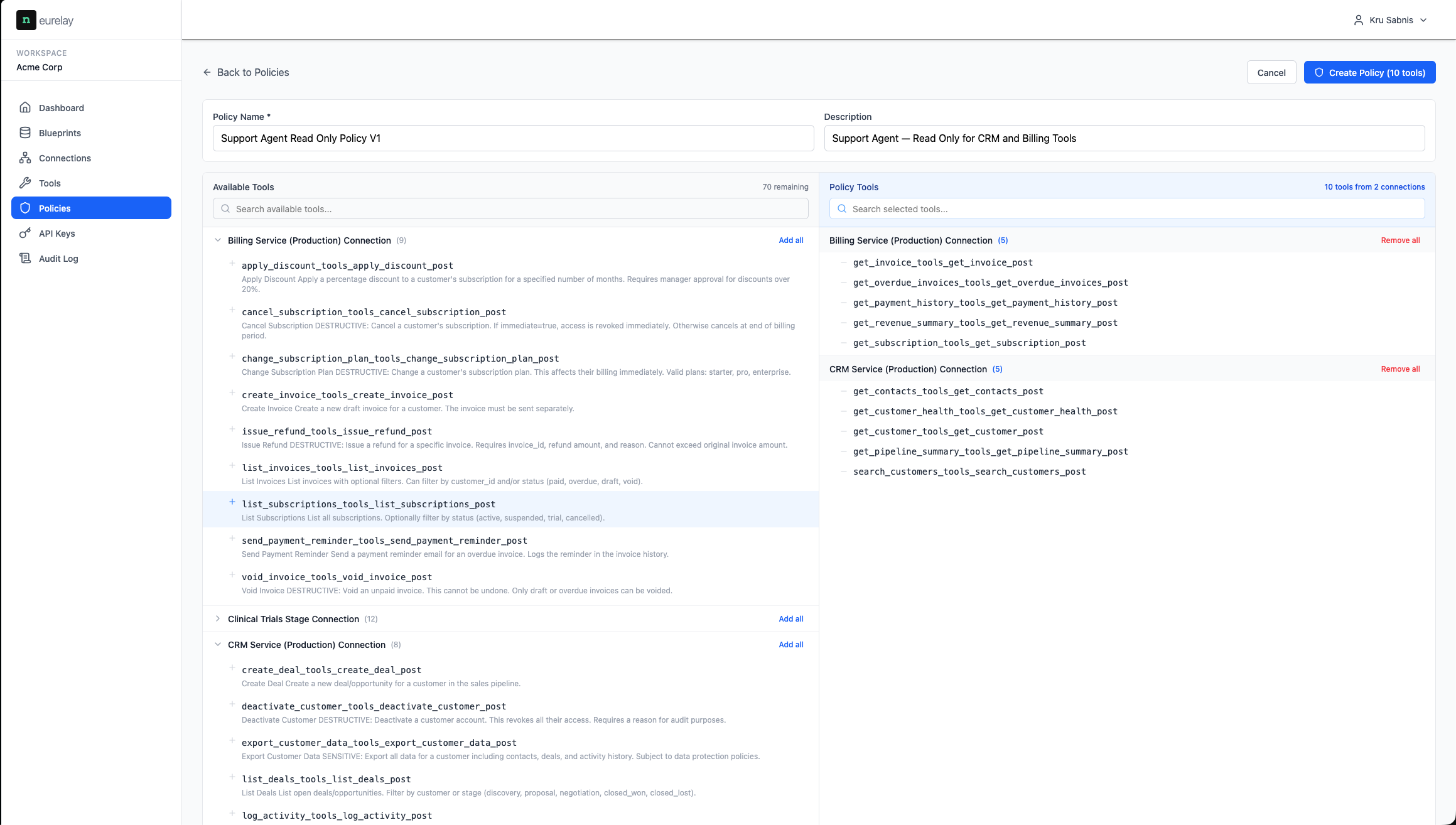
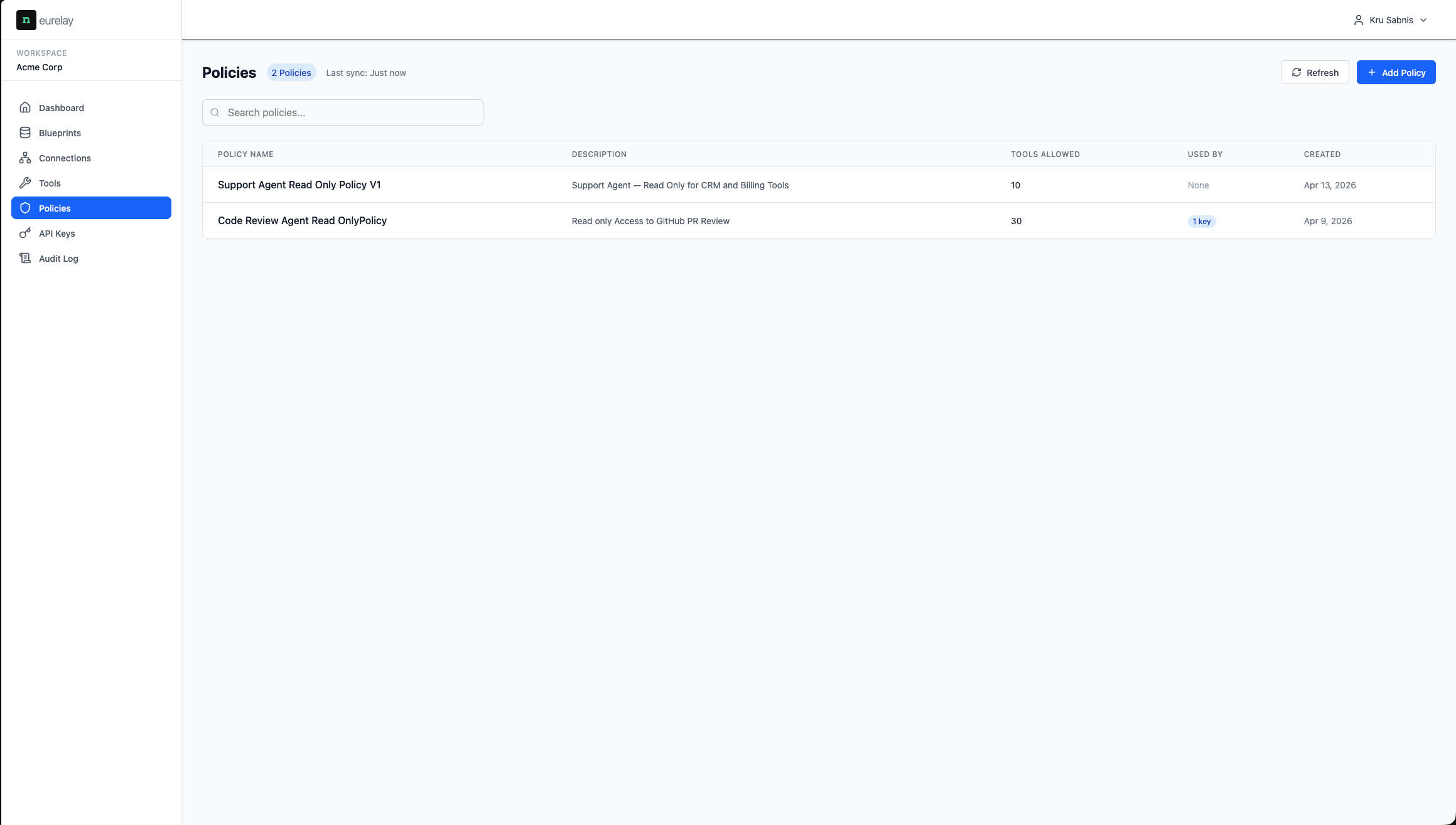
Fine-grained access control
Policies define which tools a credential can access. Pick from the full tool catalogue — everything not selected is invisible to the agent. Default deny.
- · Select tools across multiple MCP servers in one policy
- · Agents only discover what the policy allows
- · Instant policy updates — no agent restart
api keys
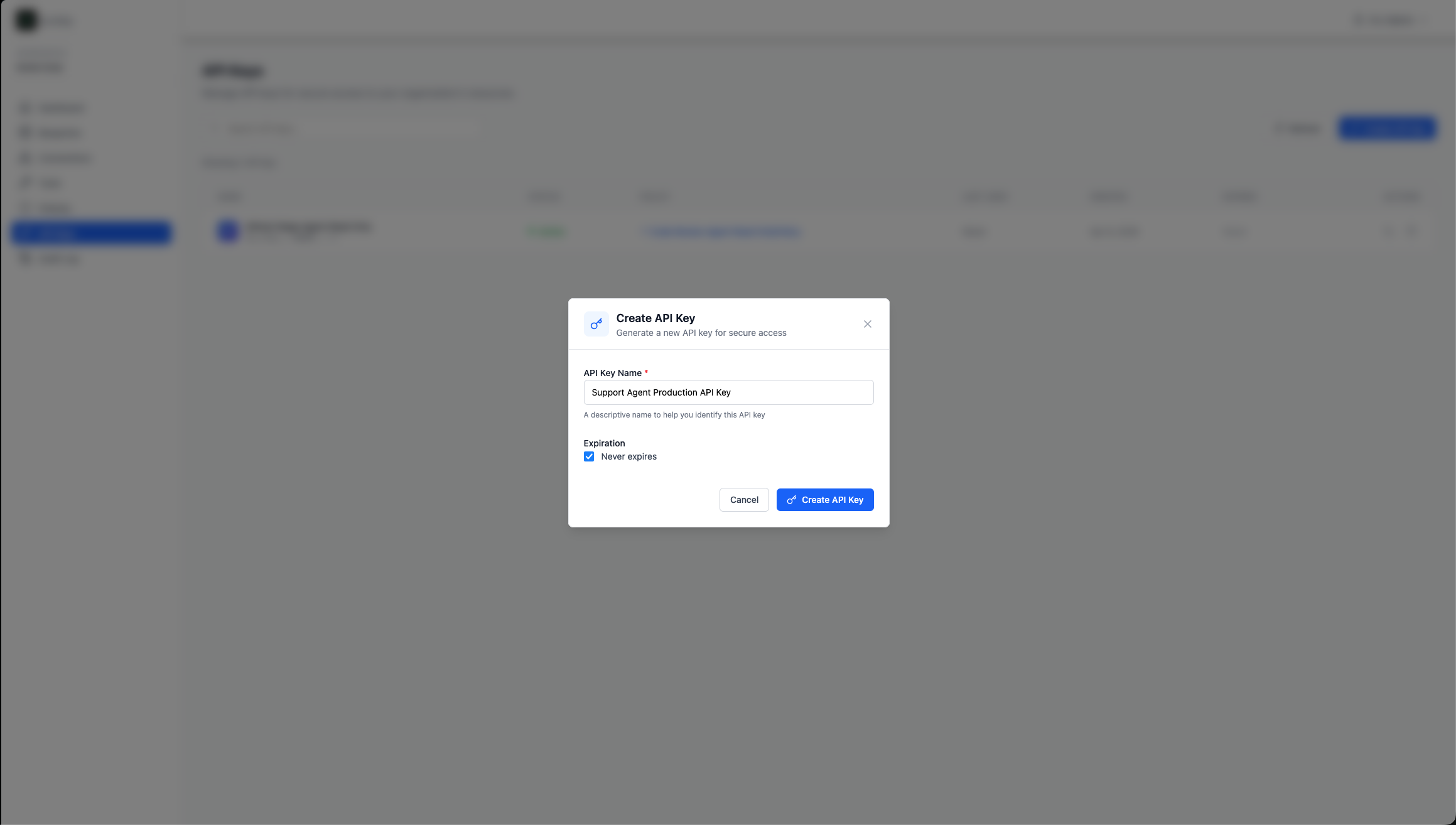
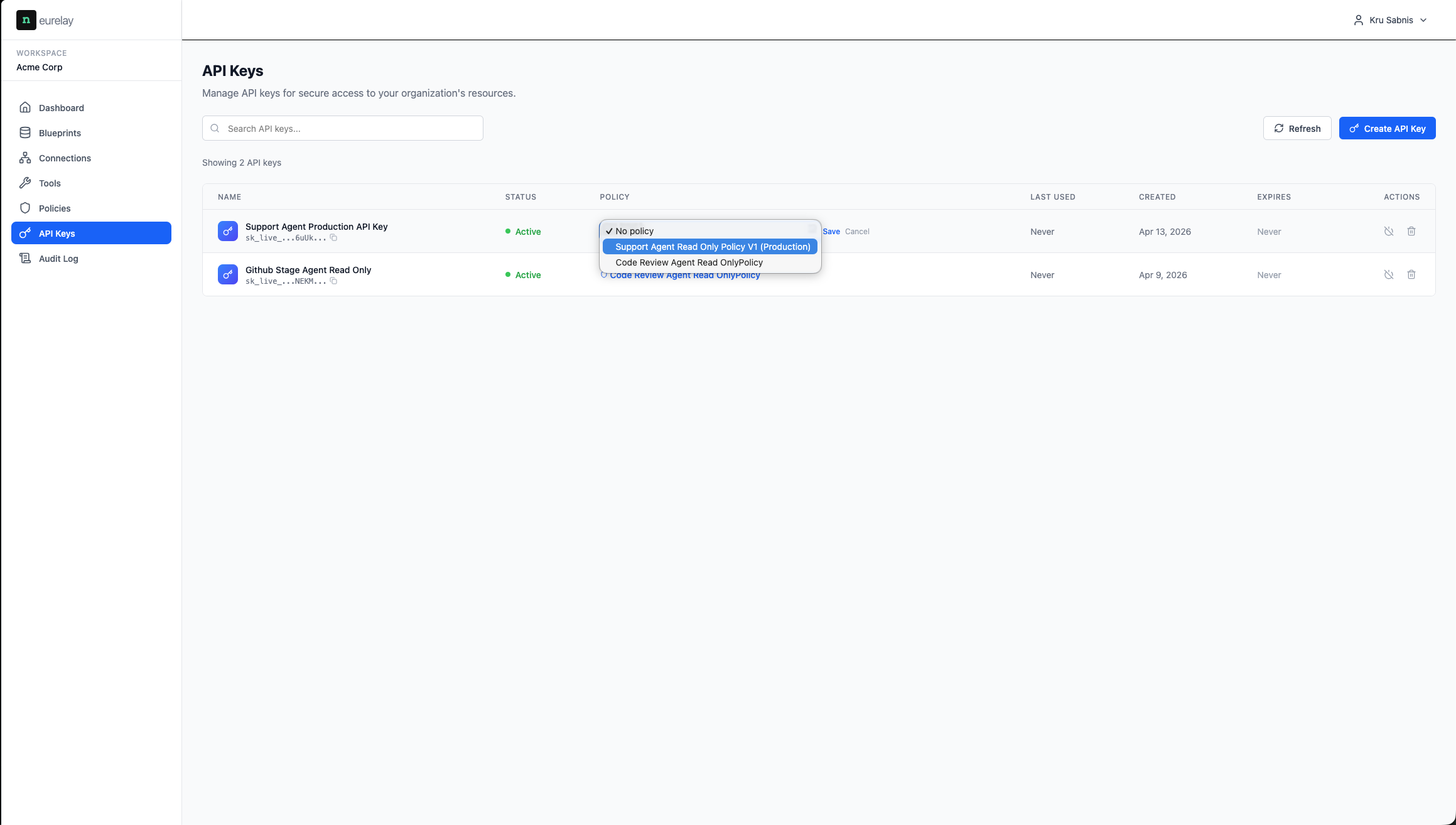
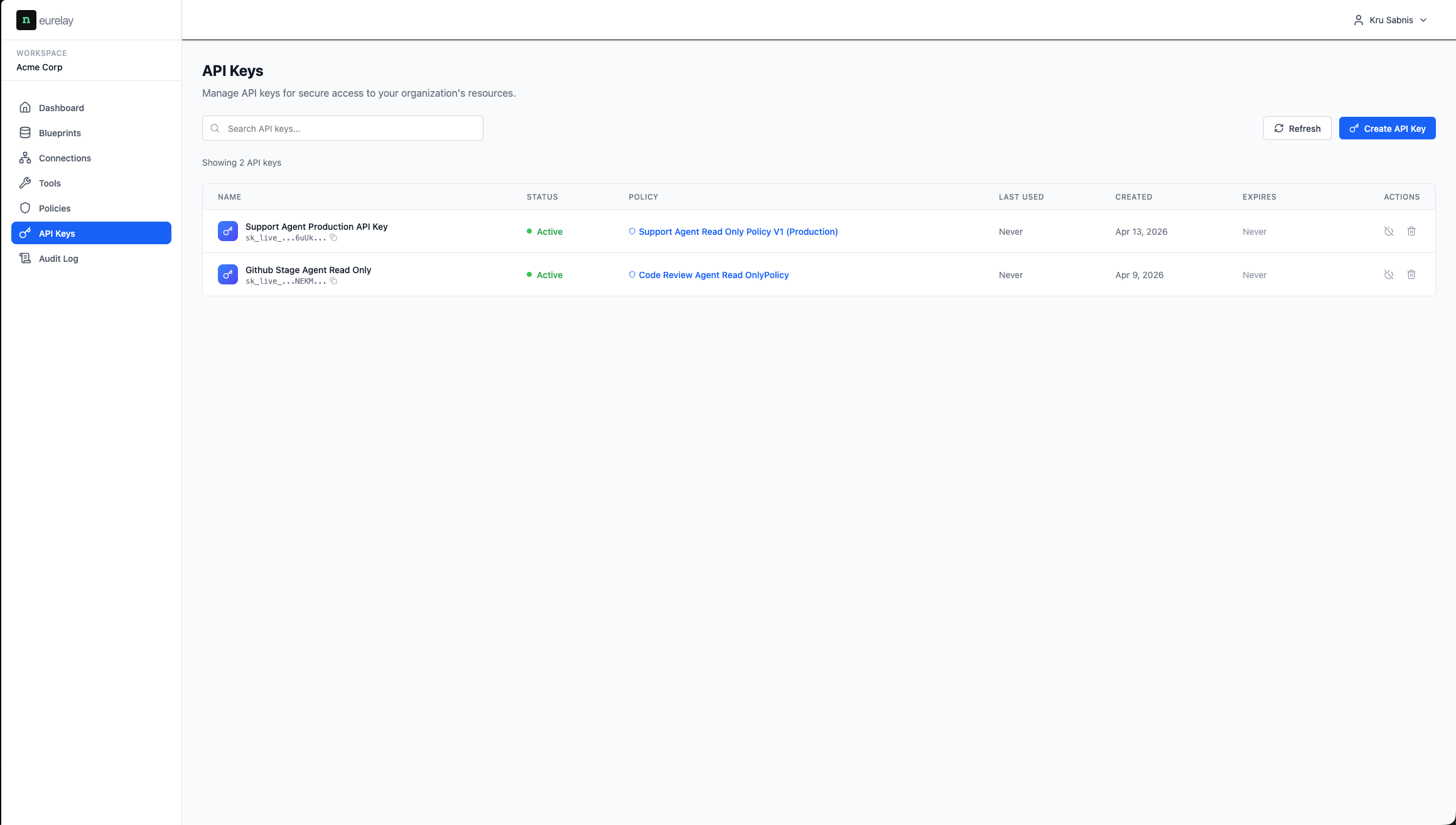
One key, one policy, one endpoint
Each agent gets an API key linked to a policy. The agent connects to Neurelay's MCP endpoint — not to individual servers. One key is the entire access boundary.
- · Assign policies to API keys from a dropdown
- · Expiration controls
- · Revoke instantly — kill switch
audit
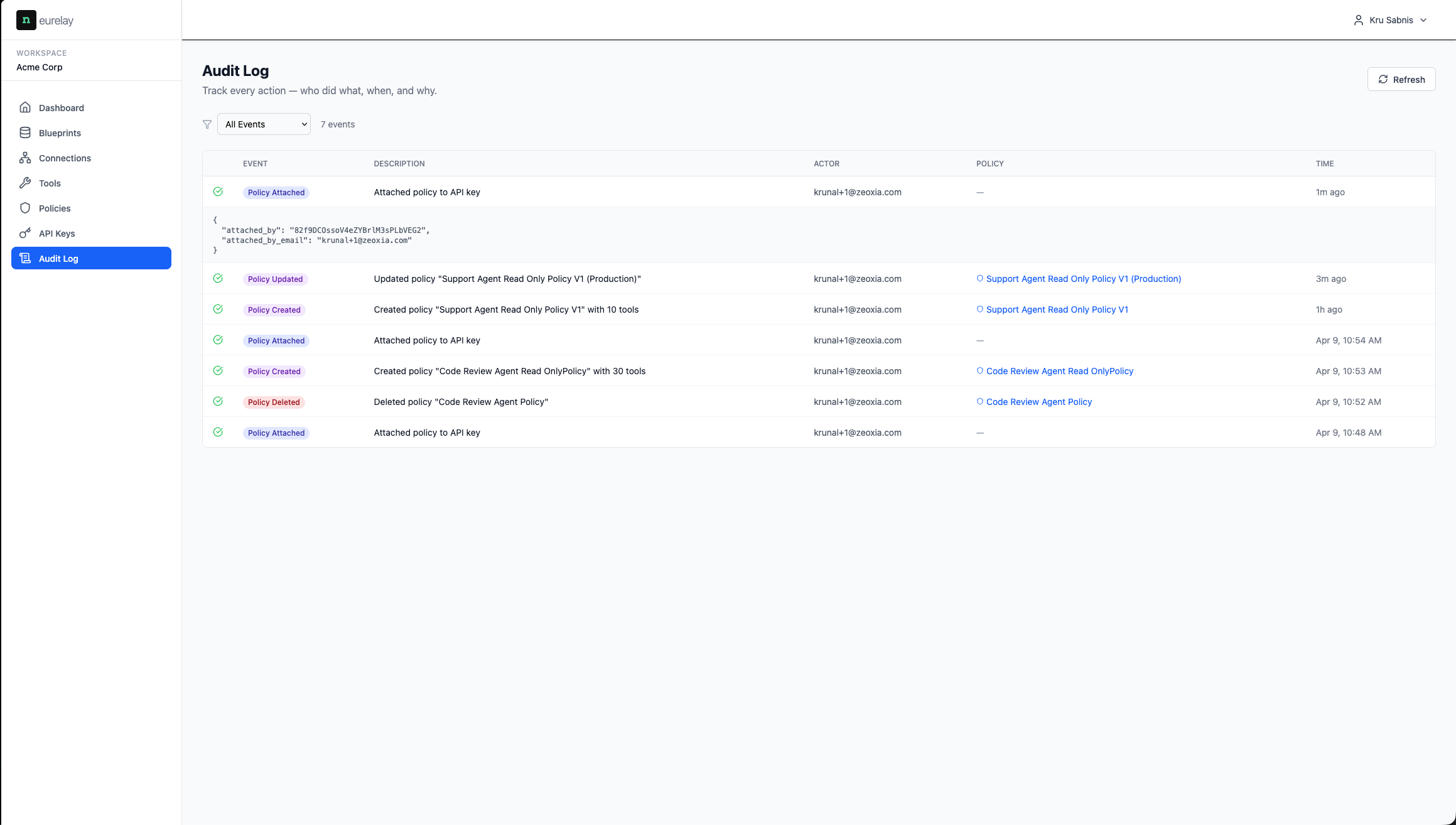
Full trail & kill switch
Every action logged — policy created, key attached, tools synced, access revoked. Who did what, when, and why. The trail your compliance team needs.
- · Compliance-ready audit trail
- · Instant revocation — one click, no agent reconfiguration
- · Incident response with full history
discovery
Smarter tool discovery
Every tool in the discovery response costs tokens and increases the chance the agent picks the wrong one. We call this the hallucination tax — more tools, worse decisions. Neurelay cuts it at three levels.
- · Policy filtering — agents only see authorised tools, not the full catalogue
- · Description tuning — edit tool descriptions from the dashboard, no redeploy
- · Fewer tools in context = fewer tokens = better selection = fewer failed calls